
August 19, 2026
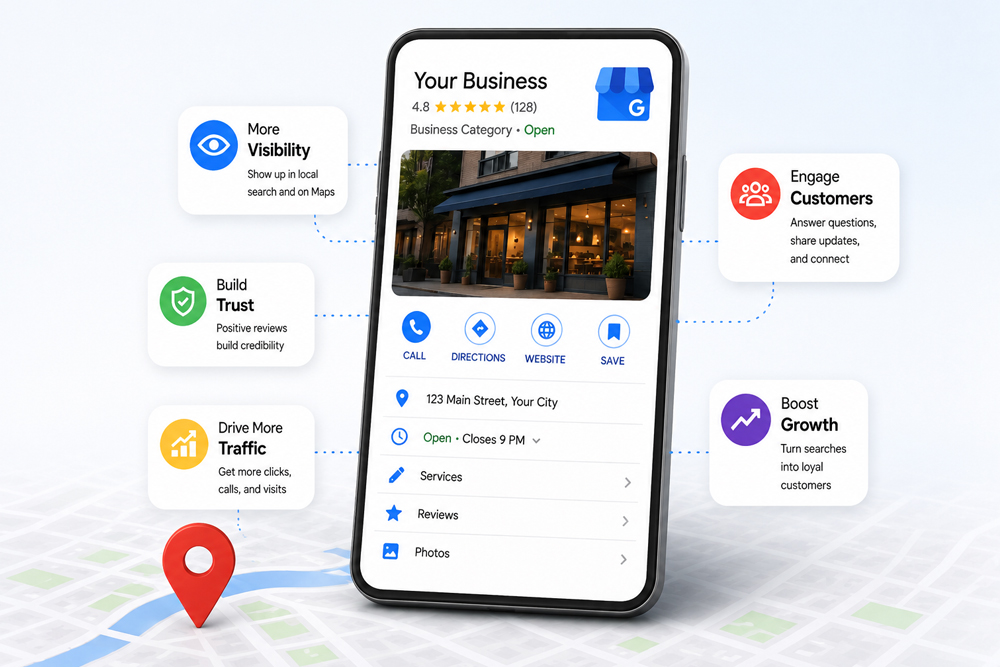
Ask most small business owners about their Google Business Profile and you will hear some version of the same thing: they set it up...


Mobile app development is a critical aspect of the modern digital world. With businesses increasingly adopting mobile-first strategies, choosing the right framework for app development can make or break the user experience. The mobile app development framework you select influences the performance, user interface, and maintainability of your app. This article dives into the top 10 mobile app development frameworks that developers are currently using to create highly functional, scalable, and robust mobile apps.
A mobile app development framework is a platform that provides the necessary tools, libraries, and structures for building mobile apps. These frameworks offer pre-built solutions to common tasks, allowing developers to focus on app-specific features rather than reinventing the wheel. Frameworks can be native, hybrid, or cross-platform, depending on the needs of the application.
Choosing the right mobile app framework is crucial because it affects multiple aspects of app development:
Let’s look at the top 10 mobile app development frameworks that developers use to create modern, high-performance mobile apps.
Language: JavaScript
Platform Support: iOS, Android
Key Features:
Performance: High
React Native, developed by Facebook, has quickly become one of the most popular frameworks for building mobile apps. It allows developers to write code in JavaScript and run it on both iOS and Android, saving time and resources. React Native is a top choice for building social media apps, e-commerce platforms, and real-time applications.
Language: Dart
Platform Support: iOS, Android, Web
Key Features:
Performance: Excellent
Developed by Google, Flutter uses the Dart programming language and allows developers to build highly interactive and expressive UIs. With the ability to support iOS, Android, and web apps, Flutter is perfect for apps that require a sleek and highly customisable UI, such as games, e-commerce apps, and apps with heavy animations.
Language: C#
Platform Support: iOS, Android, Windows
Key Features:
Performance: High
Xamarin, backed by Microsoft, is another great framework for cross-platform app development. It’s especially well-suited for enterprise-level applications, providing tools for native performance and integration with the Microsoft ecosystem. Xamarin supports iOS, Android, and Windows apps.
Language: JavaScript (HTML, CSS)
Platform Support: iOS, Android, Web
Key Features:
Performance: Medium
Ionic is a hybrid mobile development framework built using web technologies like HTML, CSS, and JavaScript. Ideal for simple apps and prototypes, Ionic works well for developers who are familiar with web development and want to leverage their existing knowledge. It provides a vast library of pre-built UI components, making it quick to set up.
Language: Swift
Platform Support: iOS
Key Features:
Performance: Excellent
For those looking to develop iOS-exclusive apps, Swift is the language and framework of choice. As the native framework for iOS, it provides a seamless user experience and optimised performance. It is widely used for building iPhone apps, games, and utilities that require deep integration with iOS features.
Language: Kotlin
Platform Support: Android
Key Features:
Performance: High
Kotlin is now the official language for Android development, and it provides a clean, concise alternative to Java. Kotlin’s null safety and interoperability with Java make it a powerful choice for Android app development. It’s particularly suited for applications that need high performance and easy maintenance.
Language: JavaScript
Platform Support: iOS, Android
Key Features:
Performance: Low to Medium
PhoneGap, based on Apache Cordova, allows developers to build hybrid mobile apps using web technologies. Although its performance is not as high as native frameworks, it is an excellent choice for creating simple apps or prototypes that need to run on multiple platforms without much complexity.
Language: JavaScript
Platform Support: iOS, Android, Windows
Key Features:
Performance: Medium to High
Appcelerator Titanium offers native-like performance across devices and supports multiple platforms using a single JavaScript codebase. It’s a great choice for developers who want to focus on building applications with strong back-end integration, such as social networks or business tools.
Language: JavaScript
Platform Support: iOS, Android
Key Features:
Performance: Medium to High
Sencha Touch is an HTML5-based framework that allows you to build mobile web applications. It is highly optimised for touch interfaces and offers a set of pre-built UI components for creating smooth, native-like experiences. It’s an excellent choice for businesses needing a mobile web app that mimics the look and feel of a native app.
Language: JavaScript
Platform Support: iOS, Android
Key Features:
Performance: High
NativeScript is a powerful open-source framework for building native mobile apps. It provides direct access to native APIs without wrappers, allowing developers to create performance-critical apps with ease. Ideal for complex apps, NativeScript integrates well with Angular, Vue.js, and TypeScript.
| Framework | Language | Platform Support | Key Features | Performance | Popular Use Case |
| React Native | JavaScript | iOS, Android | Fast development, Hot reloading, Cross-platform | High | Social media apps, e-commerce, real-time apps |
| Flutter | Dart | iOS, Android, Web | Exceptional UI, Single codebase for multiple OS | Excellent | UI-intensive apps, animations, games |
| Xamarin | C# | iOS, Android, Windows | Native performance, Code sharing across platforms | High | Enterprise apps, complex business apps |
| Ionic | JavaScript | iOS, Android, Web | Pre-built UI components, Easy integration | Medium | Simple apps, Hybrid apps, Single-page apps |
| Swift | Swift | iOS | Native support, Performance optimisation | Excellent | iOS-exclusive apps, Games, Utility apps |
| Kotlin | Kotlin | Android | Modern, Interoperable with Java, Null-safety | High | Android apps, Enterprise apps |
| PhoneGap | JavaScript | iOS, Android | HTML5-based, Access to native features | Low to Medium | Simple apps, Prototypes |
| Appcelerator | JavaScript | iOS, Android, Windows | Cross-platform, Native performance | Medium to High | Apps with backend integration, Business apps |
| Sencha Touch | JavaScript | iOS, Android | Rich UI components, Highly optimised | Medium to High | Enterprise apps, Web apps |
| NativeScript | JavaScript | iOS, Android | Direct access to native APIs, No need for wrappers | High | Performance-critical apps, Native apps |
When selecting a mobile app development framework, consider the following:
At Generate Your Audience, we understand that the right tools make all the difference in building an app that resonates with users. Our team helps businesses leverage the best mobile app development frameworks for their specific needs, ensuring high-quality, engaging, and scalable solutions. Whether you’re building an enterprise app or a consumer-facing mobile solution, we’ll work with you to choose the framework that fits your project goals.
1. What is the difference between cross-platform and native mobile app frameworks?
Cross-platform frameworks allow you to write code once and deploy it on multiple platforms (iOS, Android), while native frameworks are specific to one platform (iOS or Android).
2. What are the advantages of using React Native for app development?
React Native is a popular choice for building cross-platform apps, offering near-native performance and the ability to reuse code across platforms. It also benefits from a large community and an extensive library of resources.
3. How does Flutter compare to React Native in terms of performance?
Flutter generally offers better performance than React Native because it doesn’t rely on a JavaScript bridge to communicate with native components. It uses its own rendering engine, making it faster for complex UIs and animations.
4. Is Kotlin better than Java for Android development?
Kotlin is considered more modern, concise, and expressive compared to Java. It’s also more secure, with built-in null-safety features, making it a preferred choice for Android development.
5. Can Ionic be used for building complex apps?
Ionic is best suited for simpler applications or prototypes. While it’s excellent for hybrid apps, its performance may not be as optimal as native frameworks for more complex or resource-intensive apps.
6. Which framework should I choose for my app?
Choosing a framework depends on your app’s requirements, the platforms you want to target, and the skills of your development team. Cross-platform frameworks like React Native and Flutter are great for broad reach, while native frameworks like Swift and Kotlin offer more robust performance for platform-specific apps.
Ask most small business owners about their Google Business Profile and you will hear some version of the same thing: they set it up...
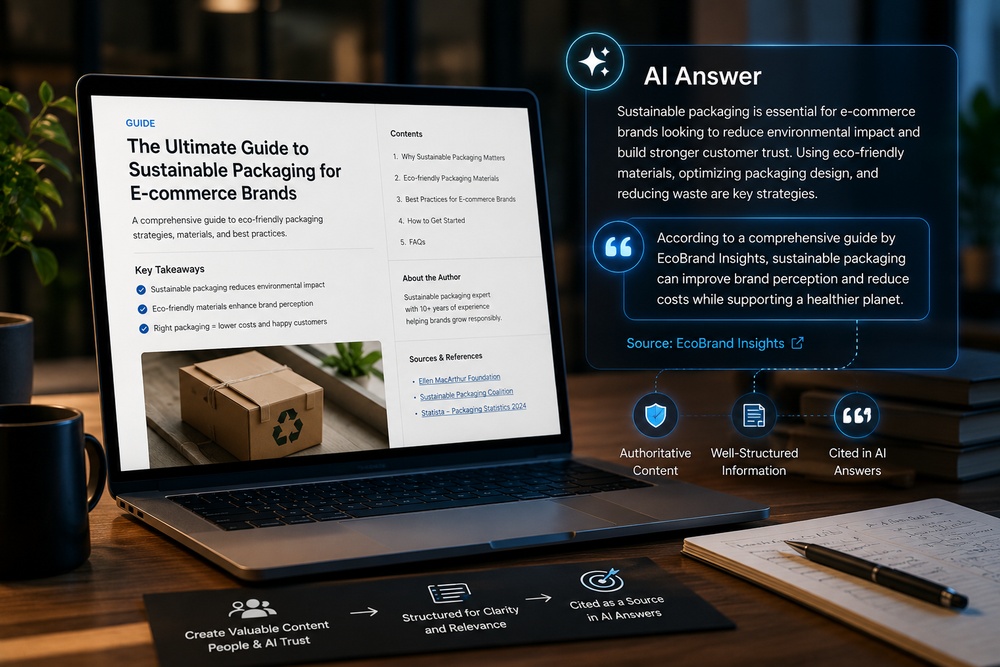
A new acronym has entered the marketing vocabulary, and unlike most, it points to a genuine shift rather than a rebrand of something old....

Search has changed shape faster in the past two years than in the previous ten. Ask Google a question today and the first thing...